
Data Studio Dashboards
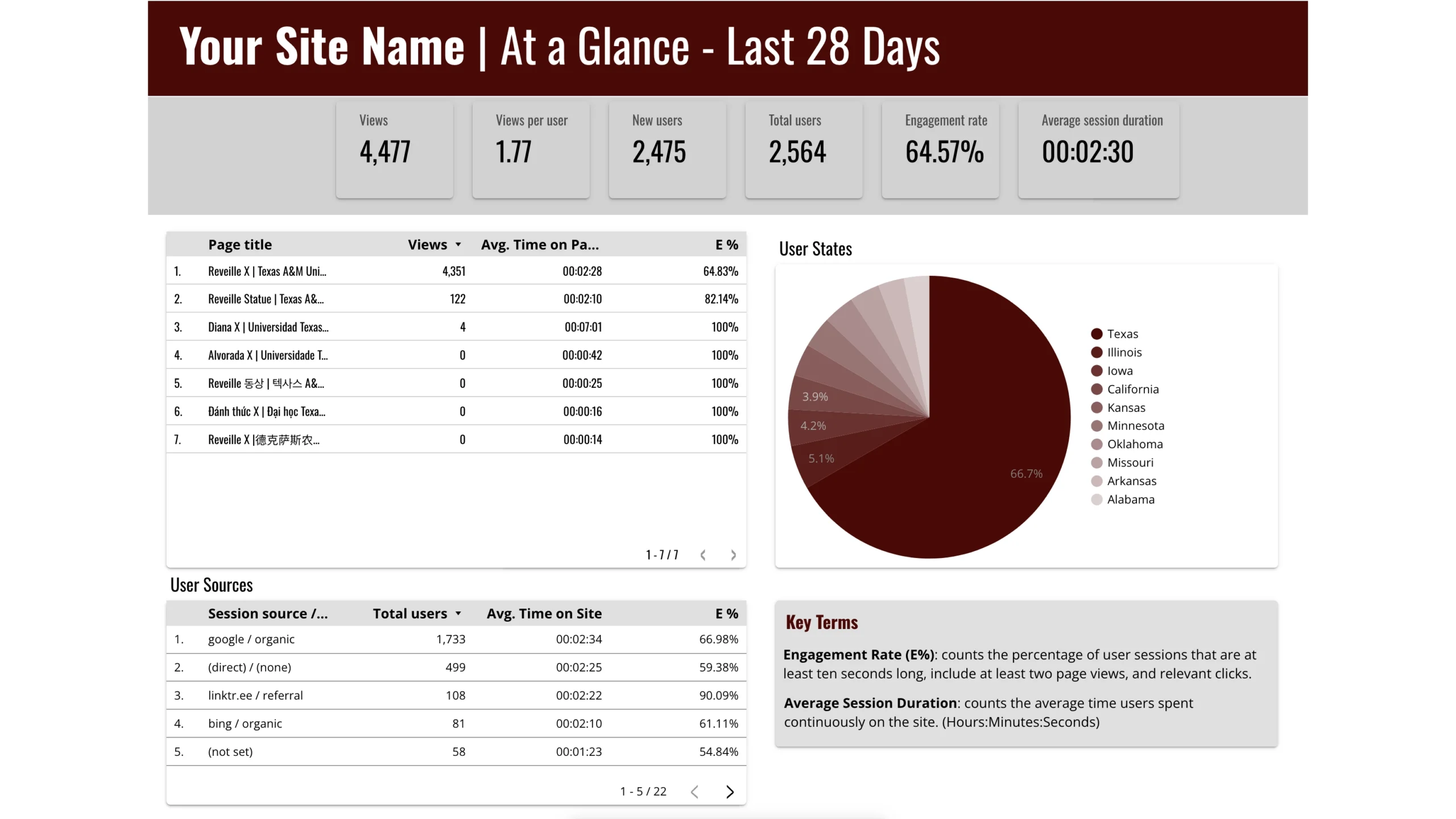
Explore a curated collection of branded Data Studio templates to streamline your reporting. You must have a Texas A&M NetID to receive access to the templates.
Downloads
Data Studio Templates
To access these templates, you must be logged in to your Texas A&M NetID on google.
Contact
For questions, email Web Team.
About this Template
Utilizing Data Studio Templates
Get Started with our Template
Open a Looker Studio report template via Data Studio. The Standard Template provided is a good place to start.
Make it Your Own
In the report that opens, click the “Copy” icon in the top-right corner to create a personalized version.
Connect Your Data
You will be prompted to select a new data source. Log into your Google account to see all the Google Analytics properties you have access to. Click ‘Select a Data Source,’ then choose ‘Create New Data Source.’ Search for and select your chosen data source you want to connect to.
Finalize Setup
Click ‘Connect’ and verify the fields that will be imported. Click ‘Add To Report’ in the upper-right corner. Ensure that the fields are pulled from your selected data source.
Customize & View
Your report will now populate with your data. Feel free to tweak the template as needed. Once satisfied, click ‘View’ to see your final report.
Sharing Your Data Studio Dashboard

By publishing, editors are able to work on a draft of your report while viewers only see the published work. Editors can also control when to publish the updated report, ensuring your audience only sees the final product.

Share your dashboard by sending a link or directly inviting people to view it. Adjust link settings to restrict access by making it unlisted or public. For added security, limit access to tamu.edu accounts.

Automate the sharing process by scheduling regular PDFs of your report to be sent to yourself and stakeholders.
Accessibility Considerations
As a public institution, Texas A&M is responsible for creating digital platforms and media that are accessible to all.