
Accessibility
For marketing professionals, making digital content accessible means applying specific accessibility standards and content best practices in order to ensure a website, PDF files or other digital content can be navigated and understood by everyone, regardless of ability.
Title II of the Americans with Disabilities Act (ADA) requires that all university websites, mobile applications, documents made available online and digital course materials be fully compliant with Web Content Accessibility Guidelines (WCAG) 2.1 Level AA accessibility standards by April 24, 2026.
What is Accessibility?
Accessibility is the degree to which something is made available to a person. Often when speaking about accessibility, the focus is on making equal access for people with mental or physical impairments.
Designing and developing digital content with accessibility in mind can lead to solutions that are more usable for everyone.
Accessibility principles focus on making sure digital content is:
- Perceivable: able to be perceived without exclusively relying on one sense (i.e., sight)
- Operable: able to be operated or used, including with assistive technology
- Understandable: able to be understood, such as by using plain language and predictable patterns
- Robust: content is compatible with current and future browsers and other user tools
Are you ready for April 24, 2026?
Title II of the ADA solidifies the importance of digital accessibility and requires that all websites, mobile applications, documents made available online and digital course materials be fully compliant with WCAG 2.1 Level AA accessibility standards by April 24, 2026. These regulations formally shift accessibility from a reactive accommodation stance to a proactive, mandated requirement.

Jump-Start Your Path to an Accessible Website With Aggie UX
Using a design system like Aggie UX is one of the most powerful strategies for proactively creating accessible websites. By using Aggie UX, you let our team focus on solving technical challenges in design and development. This frees up your team to focus on creating engaging, accessible content — no need to worry about the underlying technology.
Learn about Aggie UX + AccessibilityDigital Content Must Be Accessible
Texas A&M is a public university, and our content must be accessible to visitors using assistive technologies.
Digital Content must be accessible, including:
- Websites
- Videos
- PDFs and other digital documents
- Audio files
- Digital signage
- Emails
Measuring Accessibility with SiteImprove
Texas A&M uses SiteImprove to measure and track accessibility compliance on university websites. You can use SiteImprove on your development websites to identify and remediate any issues before publishing your website. After launching, you can use SiteImprove on your production site to monitor for new issues, such as heading order or images without alt text, and as an auditing tool to find PDFs on your website. While SiteImprove cannot fully assess the accessibility of a PDF, it can create a record of all PDFs on a site and perform a few simple checks.
SiteImprove can also be used to maintain quality assurance on your website by automatically flagging misspellings and broken links.
Email web@tamu.edu to request a site be added to SiteImprove. You will need to provide the full URL and the names and emails of any Texas A&M employees who need access to this site in SiteImprove.
Important Concepts for Accessible Content
Learning about these core concepts will improve the accessibility of your content across digital platforms. This list is non-comprehensive, but a good foundation for content editors.
Headings
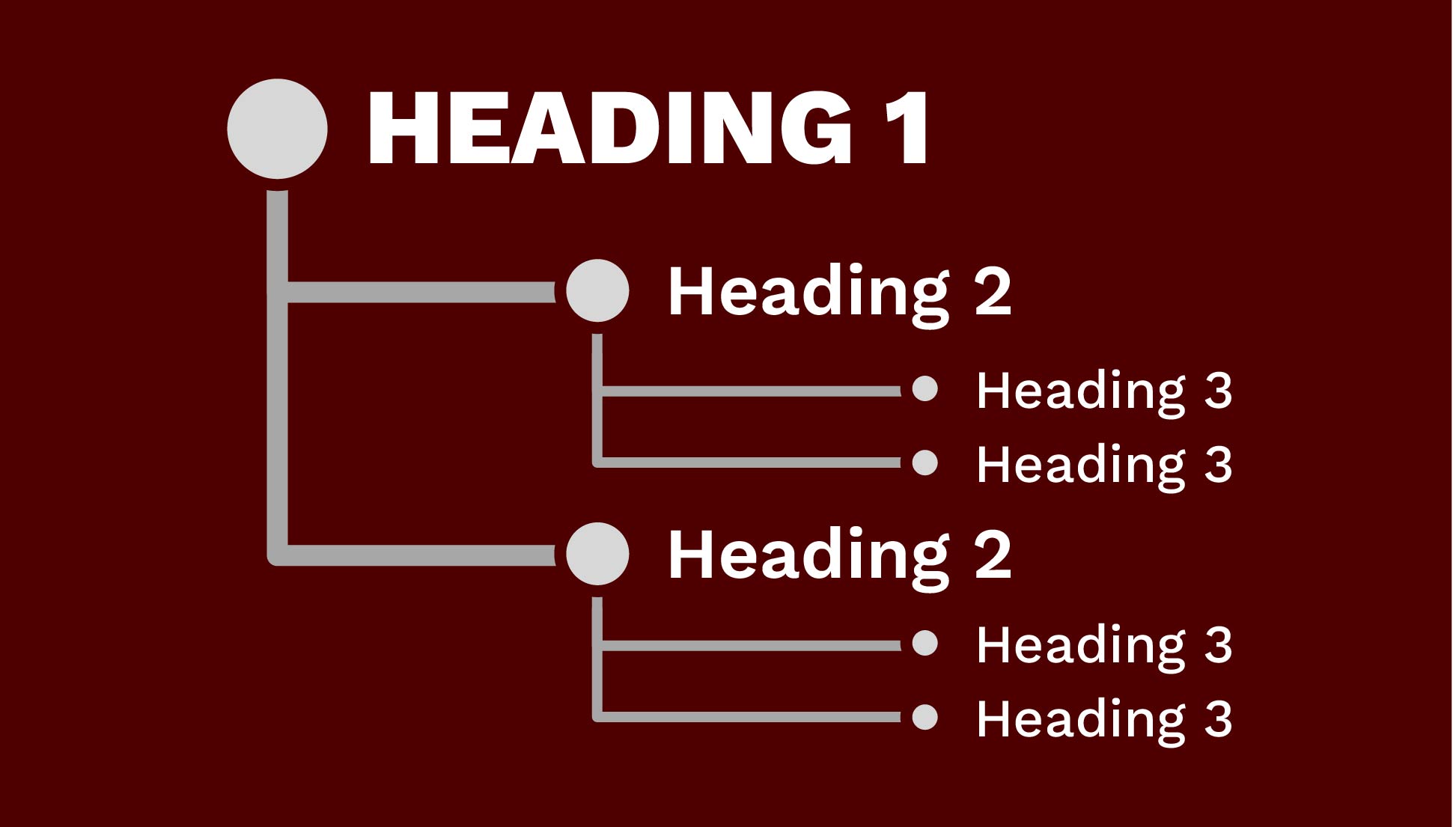
Websites and documents should use hierarchical headings to indicate the structure of the content.
Learn more about accessible headings
Link Text
Words that are hyperlinked should reveal where a user will go if they click on the link without having to read surrounding text.
Learn more about accessible link text
Images
Images and other visual elements need a text alternative that serves the equivalent purpose.
Learn more about writing effective alt text
Colors
Contrast between text (or design element) and background is important to ensure legibility.
Learn more about using color with accessibility in mind
Multimedia Content
Audio and video content require alternatives to ensure they are accessible without being dependent on a specific sense.
Learn more about captions, transcripts and audio descriptions
Tables
Tables should only be used to present related information in a series of columns and rows.
Learn more about data tablesImages of Text Create Accessibility Issues
Written content on a website, email, and digital documents should be rendered as text — not embedded as an image or graphic (JPGs, PNGs, etc.). Exceptions can be made for images of logos, charts and graphs when paired with equivalent alt text.
- Text in an image cannot reflow or resize to be legible on small screens.Images of text may be legible on larger screens, but aren’t adaptable to screen size.
- Images of text cannot be enlarged without becoming blurry.People with low vision can have difficulty viewing text without the ability to zoom in.
- Screen readers cannot read content inside of an image, only the alt text.Instead, screen readers will read aloud the image’s alt text as one run-on sentence.
Texas A&M Training Resources on Accessibility
These training resources are created to address issues and principles that are the most important to Texas A&M employees.
Web Content & Accessibility Basics
Geared at web content creators, this Aggie UX course covers the most common issues introduced in the content itself for websites and digital documents. Email web@tamu.edu with your name and UIN to request access.
Digital Accessibility Essentials
This course includes instructions on how to create digital resources that are accessible to everyone, including individuals with disabilities. This course suits anyone who creates or uses digital resources for education, work, or personal purposes. Information on how to request access is forthcoming.
More Accessibility Resources
These external resources go into more depth about accessibility principles, guidelines, regulations and best practices.
Creating Accessible Documents
Making Videos Accessible
Keep Learning
Aggie UX is Built with Accessibility in Mind
The Texas A&M web design system focuses on the technical accessibility requirements so you only need to worry about accessibility issues that can be introduced in content.
Learn about Aggie UXAccessibility Best Practices Enhance SEO
Many best practices for creating accessible content also increase your website’s search engine optimization, making it easier for people to discover your content.
Learn more about SEOUse Analytics to Prioritize Accessibility Improvement
By tracking and measuring which pages are viewed the most often, you can prioritize high-traffic pages when addressing content accessibility concerns.
Learn more about Analytics